MEN'S HEALTH IOS APP
2016

Full user experience of the five star rated Men's Health iOS App for fitness training with scheduled programs, workouts, exercises, and articles and video content.
Problem Statement: Generate new revenue within fitness training from users who will pay for high-value training expertise and guidance.
REQUIREMENTS GATHERING
END USER INTERVIEWS
DESIGN WORKSHOPS (FEATURED)
STORYBOARDING (FEATURED)
PROTOTYPING & USER TESTING (FEATURED)

CROSS-FUNCTIONAL DESIGN WORKSHOPS
UX-lead cross-functional design workshops were conducted early and often and continued post-launch for iterative improvements.
Three proto-persona served as representative of different users as defined by broad attitudes and behaviors about fitness training, including scheduling and logging habits, likelihood to use a program, and how personal progress is defined (and measured):
-
Fanatic // "Maximize"
-
logs workout routines with exact details of rep/weight/etc.. typified by the gym 'clipboard user'.
-
-
Dude // "Solid plans get me buffer."
-
Goes to gym: MWF
-
Tear-outs, PDFs, Screenshots
-
Memorizes routine
-
Want to improve/get stronger/fitter
-
Monitors progress and adjusts routine to affect
-
-
Fit Guy // "I'm rolling with what I know."
-
wants to workout/already does, but doesn't monitor progress
-
doesn't use plans/might have tried
-
fit / runner
-
looks for specific exercises for arms/abs/...
-
 |
|---|
 |
 |
 |
 |
 |
 |
 |
 |
SCREENSHOTS

STORYBOARDING

Storyboards help visualize for all team-members the screen flow on a use-case basis, for shared understanding of expected functionality across the team. Storyboards also help articulate requirements to later team members including QA and select User Acceptance Testing participants.
SAMPLES:


FUNCTIONAL SPECIFICATIONS
User flow diagrams and annotated wireframes captured prioritized requirements on story/use case basis, and were delivered to related Jira epics/tickets in tandem with staggered AGILE sprint cycles.
SAMPLES:
Finding a workout Annotated wireframes

PROTOTYPING & USER TESTING
Design prototypes were used throughout design/development to explore/articulate different ux/ui models within the team - prior to sprint-specific functional specifications. All team members actively participated in design/solutionizing sessions, & provided feedback/markup through Slack, Jira, and Invision. Gesture markup included in prototype versions that served internal/stakeholder learning.

Early usability tests conducted with design prototypes validated assumptions around filtering behavior and informed prioritization for MVP build. Testing involved:
-
User Test Scripts
-
Interactive Prototypes (Invisionapp)
-
User Test Facilitation (Think-aloud Method)
-
Lookback 2-way Video Recording (screen w touch/scroll, user cam, audio) and Tagged Recaps.
- Usability report with key qualitative findings
USER TEST 1: FILTER PARADIGMS
In support of users being able to find a workout or exercise, filters provide a fast way to limit resulting lists (in particular for return/repeat users). For these cases, 3 filter micro-interaction paradigms were tested with interactive prototypes prior to build. Version (A) proved easiest to use on first attempt and with repeated use.

USERS FOUND DIFFERENTIATED 'ALL' CONTROL (PER ATTRIBUTE) EASIEST TO UNDERSTAND.


USER TEST 2: LIVE WORKOUT TRACKING
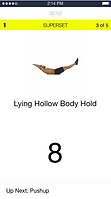
To validate assumptions about user expectations around workout tracking experiences - and to inform decisions about MVP inclusion, two live-tracking interfaces were tested including a singular-view and a list-view. Through testing, assumptions were confirmed: most users found a singular-view easier to use during initial and repeated use.


ITERATIVE IMPROVEMENTS (Ongoing)
Following the release of MVP, iterative improvements to the app have initially included improvements to existing features/processes followed by new features. Some improvements have included:


TRAINING PROGRAM PREVIEW UPDATE
Increase conversions by better informing and enticing user of subscription benefits through an improved Training Program Preview.


Update user profile screen with common profile pattern and design (to replace placeholder build).


SELECT VIDEO CLIPS
The following video clips show specific functional areas of the app in use.